iPhone & iPadUDID Checker
Securely get the device identifier needed for Ad Hoc installs, internal beta testing, and Apple device registration. No cables. No desktop software.
Open this page on the target iPhone
This flow only works on iPhone or iPad. Copy or scan this page and open it on the Apple device that needs provisioning.
Browser
Checking...
Device
Checking...
How It Works
The flow follows Apple's profile-install pattern, but BetaDrop keeps the handoff, install step, and final result page clear.
Open the page on iPhone
Use Safari or Chrome on the iPhone or iPad that needs to be registered.
Download the profile
Tap the main CTA and let iPhone download the temporary profile used for device identification.
Install and approve
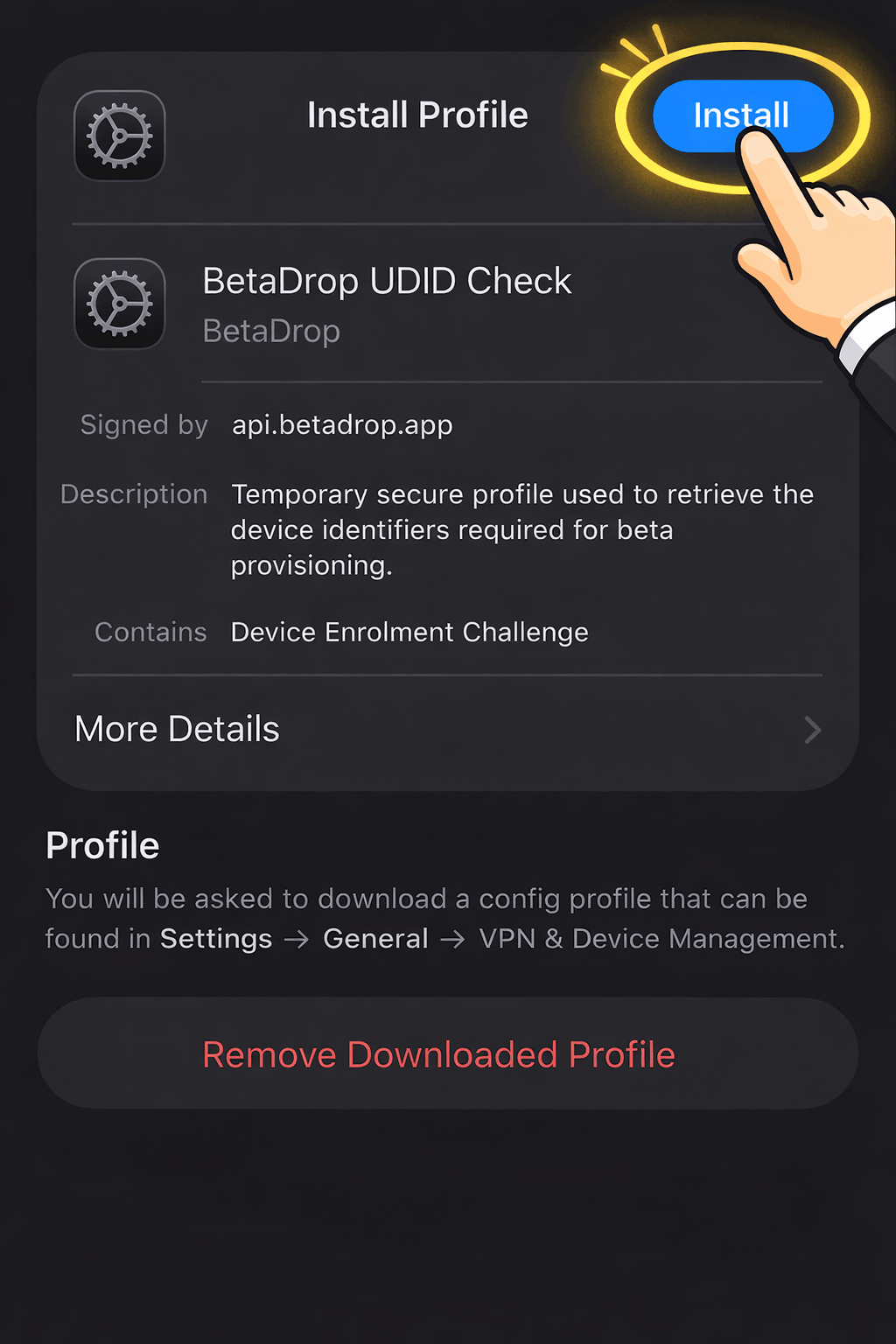
Follow the iOS prompts and tap Install when Apple opens the profile details screen.
Get your UDID result
BetaDrop receives the callback automatically and shows the UDID result page when the device data is ready.
Install profile screen
What your iPhone will show during installation
The screenshot below is the iOS profile-details screen. The important action is the blue Install button in the top-right corner. That is the step that finishes the temporary UDID-check profile install.
Installation notes
Follow these steps on your iPhone
Trust and Safety
The UDID checker stays narrow on purpose. It asks only for what Apple exposes during provisioning and nothing more.
What BetaDrop collects
UDID, product identifier, iOS version, device name, and serial details when Apple includes them.
What BetaDrop does not collect
Photos, messages, browsing history, installed apps, personal files, or account credentials.
Why this profile exists
Apple requires a profile-service flow for web-based device identification. This is the standard path for beta provisioning.
Clear answers before you start the profile flow
Keep the flow simple and explicit, especially on iPhone.
Need help after the UDID step?
Finish the device check, then use the result page to copy the UDID or send it to your team. For manual help, contact support@imobiledesigns.com.
View Browser Help